Create New Proforma Invoice
Step 1: Add New Importing Company
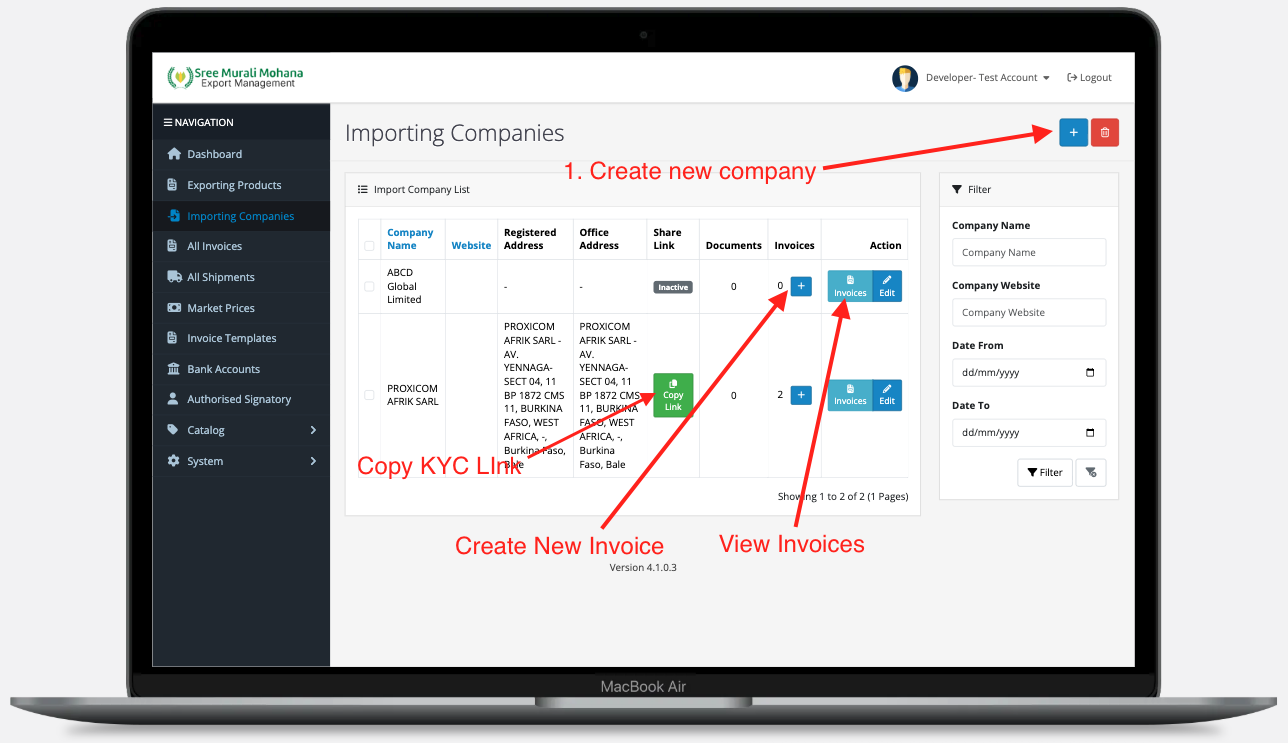
If you need to create an invoice for a company not in your system, first add a new "Importing Company".
Step 1.1: Create New Company
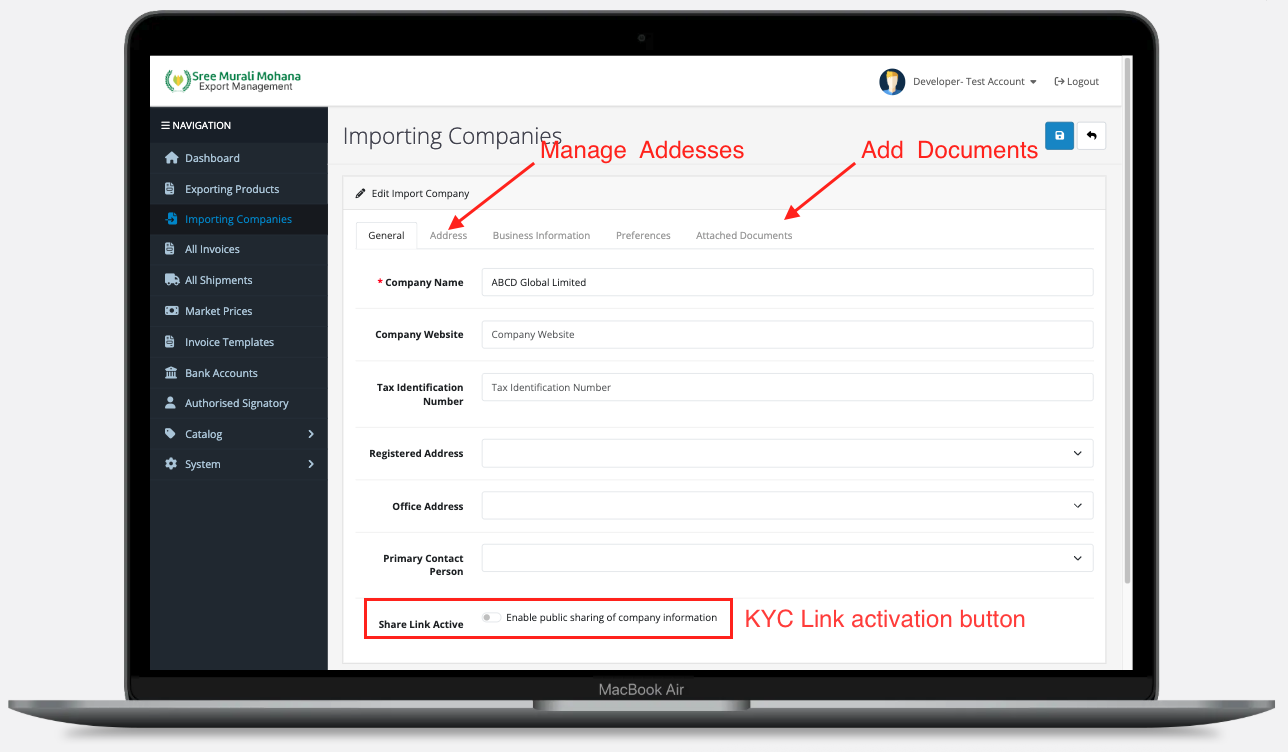
- Add a new company name
- Activate the "Share Link Active" toggle button
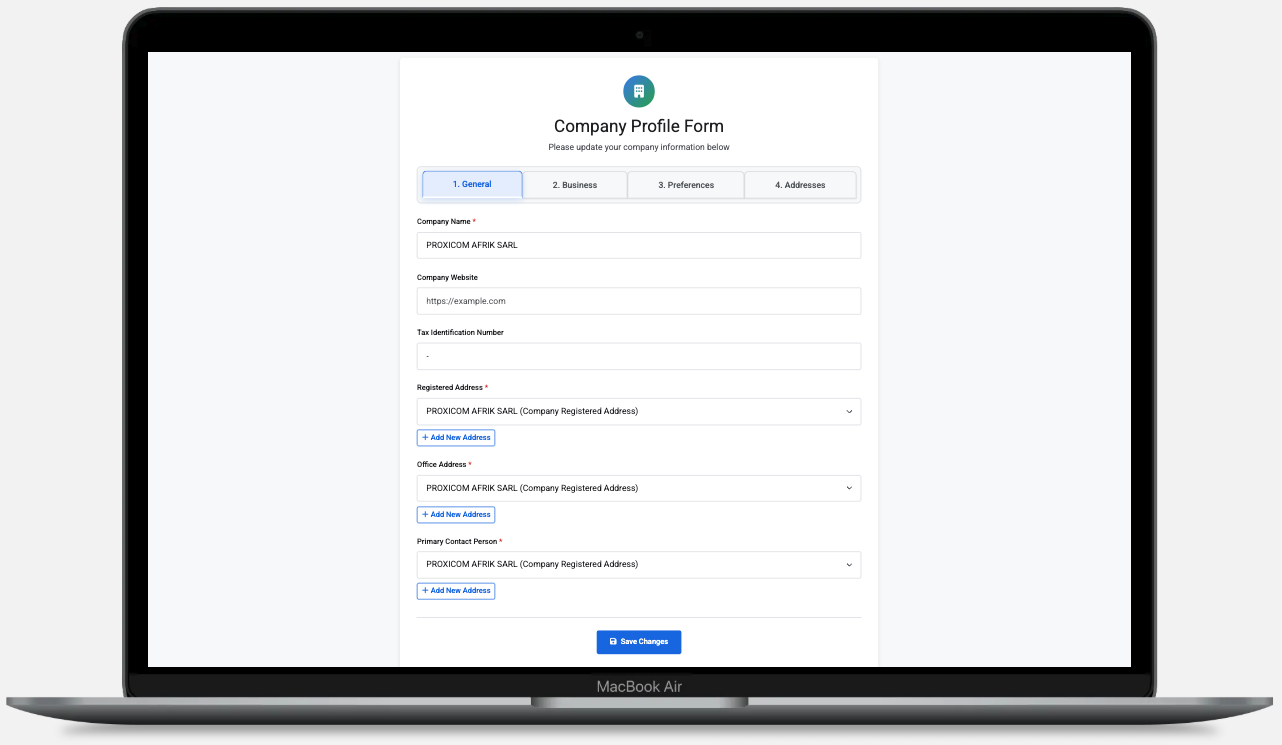
- This generates a KYC form link for the importing company to fill in their details:
- Addresses
- Business Information
- Preferences
- Other required information
Note: The admin can deactivate the KYC link anytime by toggling the button, or modify company information directly from the admin page.
Sample KYC Form
Step 2: Create New Proforma Invoice
Once you have created the importing company, you can create a new PI by clicking the + (Add Invoice) button.
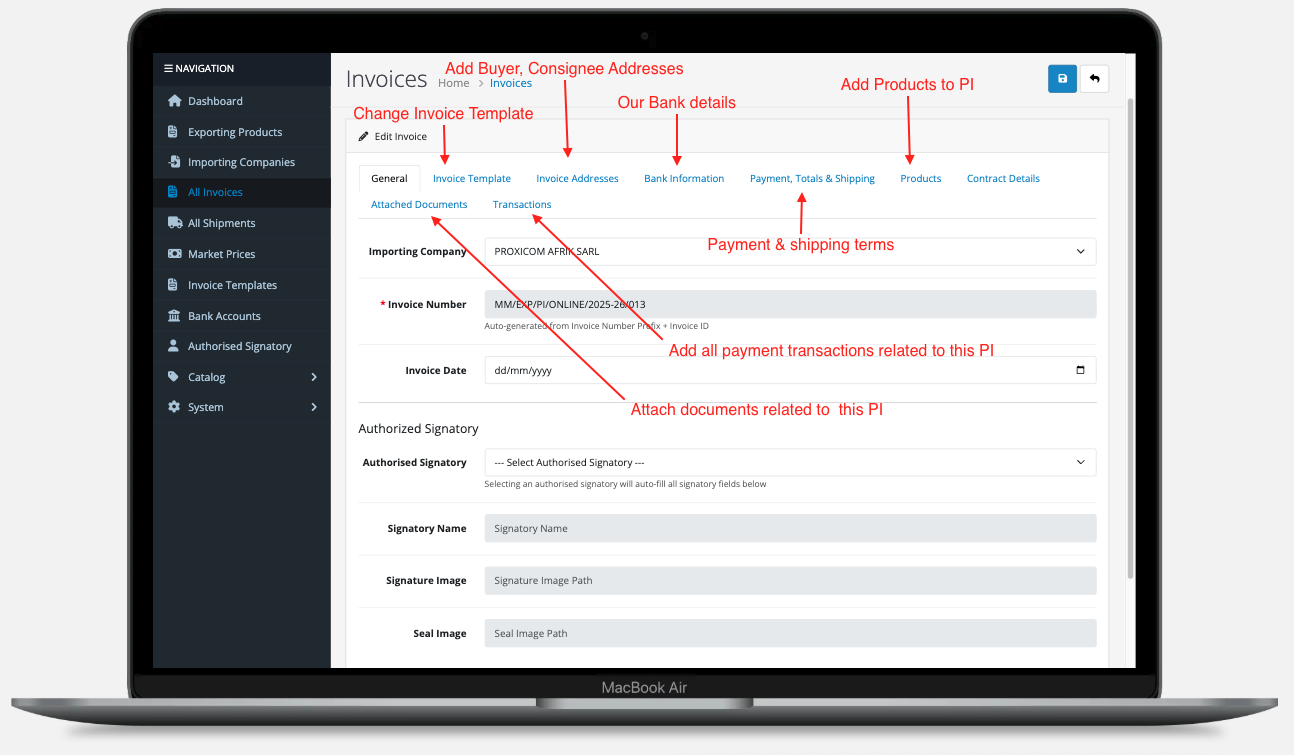
Step 3: Document Generation
After saving:
- PI PDF and contract PDF are automatically generated without "Authorized Signatory"
- Once the designated person authorizes it, both PDFs will be regenerated with signature and seal
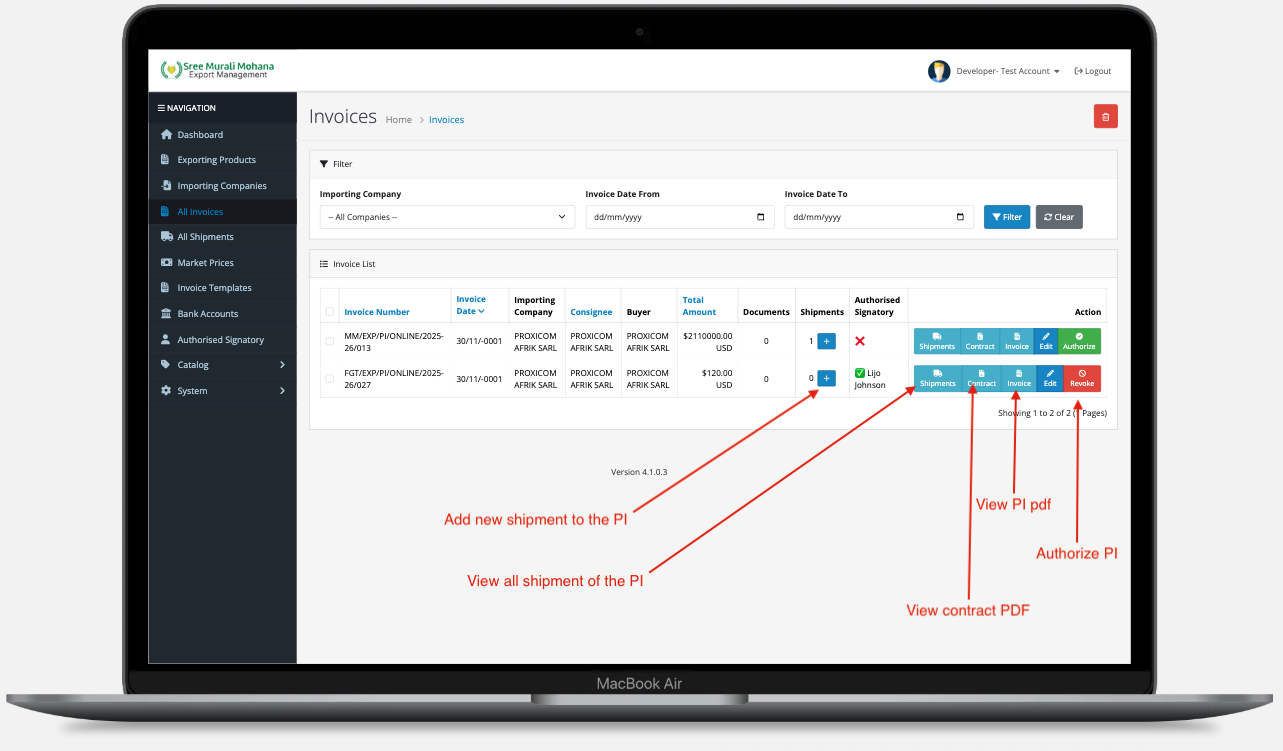
PI Authorization Rights
If the admin has authorization rights, they can:
- Authorize invoices and contracts
- Revoke authorization for invoices and contracts
Step 4: Invoice Management Page
In the invoices page, you can:
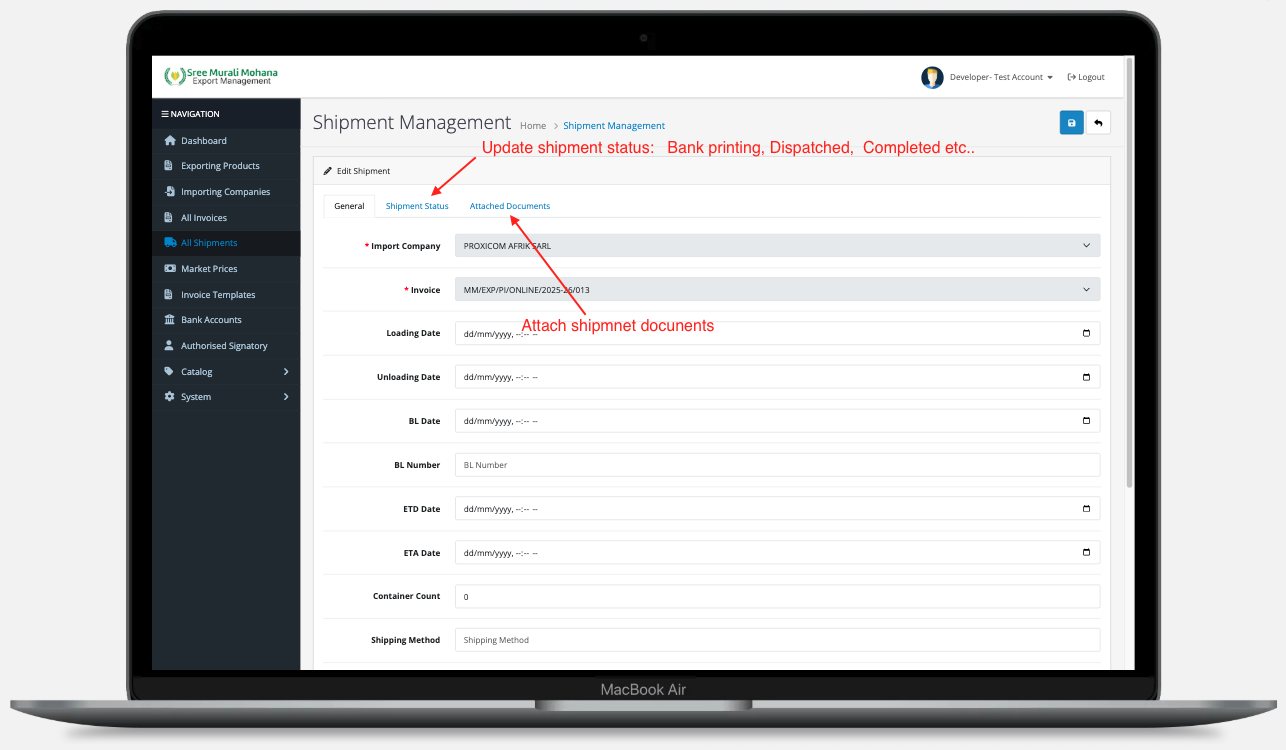
Create New Shipment
To create a new shipment for an invoice:
- Click "+" button in the invoice page